Aliens: Fireteam Elite 2 PC Settings & Stutter Fix
Patch 1 did not fix frame pacing — these are the settings that actually smooth the fight.
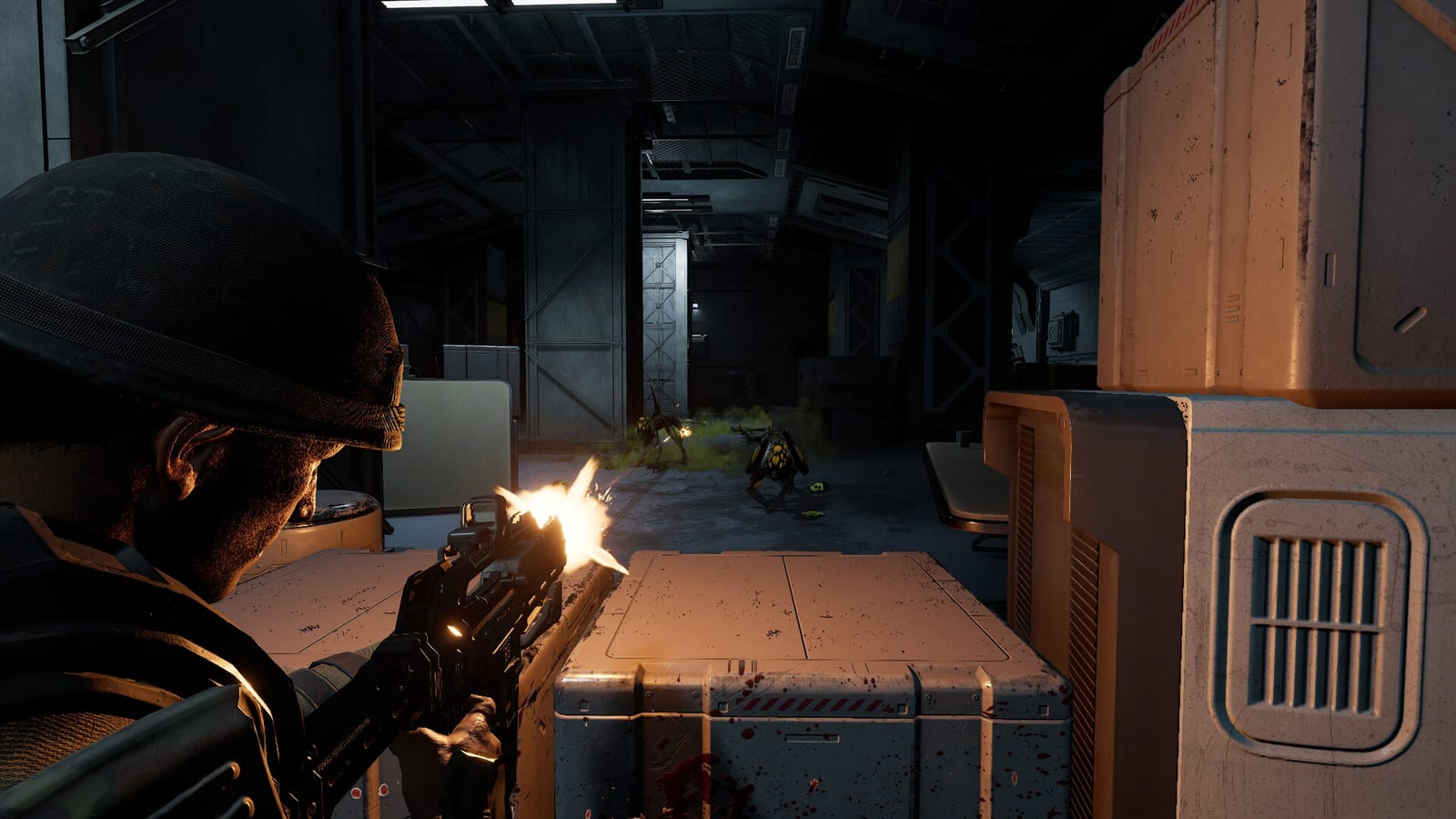
Aliens: Fireteam Elite 2 launched on 25 August 2026 to a mixed Steam reception on day one, and stutter showed up in those reviews more than any other PC complaint — including on machines that should not be GPU-bound. Patch 1 (24 August) is a huge combat and crash patch. It is not a PC frame-pacing patch. The PC notes list consistent branding across the folder, taskbar, and shortcut. WinGDK builds got a missing mouse cursor fix. If your counter reads 100 FPS and the game still hitchs, you are looking at pacing, not average frame rate.
Use this page with the system requirements checker. Minimum is Windows 11, Ryzen 5 2600 / i5-8400, 10 GB RAM, RTX 2060, DirectX 12, 35 GB. Recommended is Ryzen 5 5600G / i5-12600, 16 GB RAM, RX 6700 / RTX 3070. Meeting recommended does not guarantee smooth pacing at launch.
What Patch 1 already fixed on PC-adjacent builds
- Mouse cursor missing at launch on WinGDK (alt-tab workaround is no longer required on that build).
- Loadout menu characters zoomed and cut off after lowering resolution.
- Controller users stuck in gun-based abilities because they could not swap weapons to exit them.
- Unlocalized keyboard names in Controls for German, French, and Italian.
- A Colony-area crash that arrived with distorted audio (listed under stability; it can hit PC hosts too).
If your problem is “I cannot click in the menu on Game Pass PC,” update and relaunch before you touch graphics. If your problem is hitching every few seconds in hives, keep reading.
In-game graphics that help pacing
Cap the frame rate to a number your machine holds in hive combat, not in the empty hub. An unlocked 140 FPS that dips to 70 feels worse than a locked 80. If you have a VRR display, enable it in Windows and in the GPU control panel, then set an in-game cap a few frames below the refresh rate.
Turn down settings that cost time in bursts rather than average fill rate:
- Volumetric fog / hive haze — the first slider to drop if hitching clusters in spore rooms.
- Shadows — high-end machines still hitch when the swarm fills a doorway; Medium is the usual sweet spot.
- Anti-aliasing — prefer a temporal mode at a reasonable sharpness over a heavy FXAA+TAA stack.
- Effects quality — Exploders, acid, and Pathogen gas are particle-heavy; this slider matters more than anisotropic filtering.
- Crowd / enemy detail in the distance — if the option exists on your build, do not max it for Horde.
Do not chase ultra reflections while you are still dying to Sirens. Visuals come after the enemy dossier is readable at a stable pace.
Driver and Windows
Install a Game Ready or Adrenalin driver released after 25 August 2026 when vendors post one. Launch-week stutter in similar titles often moved before the engine team shipped a second patch. Disable overlays you do not need: extra Steam, Discord, NVIDIA, and Xbox Game Bar layers all compete for the same present call. Fullscreen exclusive, if offered, is usually smoother than borderless on this engine family; borderless is fine if you need alt-tab stability for crossplay invites.
Set Windows Hardware-accelerated GPU scheduling according to your GPU vendor’s current advice for this title — it helps some NVIDIA cards and hurts others. If you change it, reboot once and retest a single Colony fight, not the whole campaign.
Close RGB and “optimizer” utilities that hook every process. Verify game files on Steam or Epic after a crash. The duplication exploit is patched; you do not need to chase item overflow as a performance issue.
CPU, RAM, and hitching
The game is a four-player P2P shooter with dense AI. Background recording, browser hardware acceleration, and a second game overlay will hitch you even on 32 GB machines. 10 GB RAM is the listed minimum — do not run Chrome with fifty tabs on that spec. Put the install on SSD; 35 GB on a spinning disk will hitch on streaming hive geometry.
If hitching is worse as host, region matchmaking from Patch 1 should help, but a host in another continent will still feel the simulation hitch. Play with a closer fireteam when you can.
Crashes and audio distortion
If a Colony load crash returns with corrupted audio, that is the class of bug Patch 1 listed as fixed — verify you are on Patch 1, then file it with Daybreak support if it repeats. Controller-only players should confirm they can swap weapons to exit gun abilities after the patch. Xbox-specific host crashes do not apply to Steam, but the same mission scripts run everywhere.
Related pages
- Patch 1 notes — full day-one combat changes.
- System requirements — min vs recommended.
- Controls — FOV and sensitivity live here, not in this graphics page.
Frequently Asked Questions
Quick answers to the most common questions about Aliens: Fireteam Elite 2.
Did the day-one patch fix stutter?
No. Patch 1's PC section is branding. Combat, Xbox crashes, and exploits were the focus. Treat stutter as unfixed until a later notes drop lists frame pacing.
Should I uncap FPS?
Only if your lowest 1 percent stays near the cap. A high average with deep dips feels worse than a locked rate you actually hold in swarms.
Is this a GPU or CPU problem?
Launch hitching has shown up on high-end GPUs, which points at pacing, streaming, or simulation spikes — not a missing RTX 5090. Lower bursty effects first, then overlays.
Does VSync fix it?
VSync hides tearing; it does not fix uneven frame times. Use VRR plus a cap, or a hard cap without VRR, then test a hive fight.
Where do I report a remaining crash?
Daybreak Game Company support and the official Discord bug channels. Include platform, Patch 1 confirmation, and whether you were host or client.